
Downloading an Instagram video or photo is simple, but choosing a downloader you can trust is a different matter. Some websites ask for unnecessary information, while others use aggressive ads or misleading download buttons.
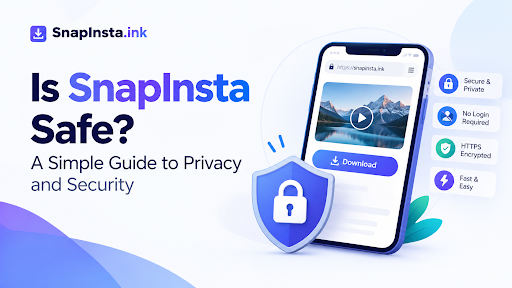
So, is Snapinsta safe to use?
There is no need to rely on a simple yes or no. A better approach is to look at how the service works, what information it asks for, whether it requires an Instagram login, and what happens when you download a file.
Does It Require an Instagram Login?
No. You can use the service without entering your Instagram username or password.
The process is based on the link to the Instagram content you want to download. You copy the public URL, paste it into the downloader, and start the download.
This is an important point when using any third-party tool. A service that only needs a public link has no obvious reason to ask for your Instagram password.
If a website suddenly asks you to log in to Instagram before downloading a public video, it is worth stopping and checking why.
What Information Does It Collect?
Not requiring a login does not necessarily mean that a website collects no information.
Like many websites, the service may collect certain technical information when you visit it. Its privacy policy explains that information such as an IP address and general location may be collected automatically.
That is different from having access to your Instagram account.
Before using any online service regularly, it is worth taking a few minutes to read its privacy policy. Look for clear information about what is collected, why it is collected, and how that information is handled.
A clear privacy policy is always preferable to a website that gives users no information about its data practices.
What About Ads and Pop-Ups?
Advertising is one of the things users should pay attention to when using free online tools.
The service uses advertising to support its website, including display advertising. This means you may see ads while using the downloader.
The main thing to watch for is not simply the presence of ads, but how those ads behave.
Be careful if a website:
- Opens several unexpected tabs
- Redirects you to unrelated websites
- Shows fake download buttons
- Asks you to install unknown software
- Requests browser notifications unnecessarily
A genuine download button should be relatively easy to distinguish from an advertisement.
If something looks suspicious, close the page instead of continuing.
If you’re comparing different ways to save Instagram content, it’s worth looking at how each option handles login requirements, supported formats, download quality, and ease of use. A detailed comparison of SnapInsta and other Instagram downloaders can help you understand the practical differences before choosing a tool that fits your needs.
Is Downloading a File Safe?
A browser-based downloader does not require you to install an application on your computer or phone. That can be useful because you are not giving an unfamiliar program access to your device.
Still, users should follow normal online safety practices.
Make sure your browser and operating system are up to date, and don’t install software simply because a pop-up tells you that it is required.
It is also a good idea to check the file you downloaded before opening it if you are unfamiliar with the website.
For ordinary photos and videos, the risk is generally different from downloading and installing an unknown application. The important thing is to know what you are downloading and avoid anything unexpected.
Does It Work With Private Instagram Accounts?
No. The service is intended for publicly available Instagram content.
That distinction is important because a downloader should not be confused with a tool that bypasses someone’s privacy settings.
If an Instagram account is private, its content should remain private. A service claiming that it can access private posts or bypass account restrictions deserves much more scrutiny.
For normal downloading, stick to content that is publicly accessible.
Can Using a Downloader Affect Your Instagram Account?
Since you don’t need to enter your Instagram credentials, the downloader does not need direct access to your Instagram account.
That doesn’t mean everything you do with a downloaded file is automatically permitted.
There is a difference between downloading a piece of content and republishing it somewhere else.
For example, if you download another person’s Reel, you don’t automatically have permission to upload that same video to your own social media account or use it commercially.
Copyright and the creator’s rights still matter.
If you plan to reuse someone else’s content, check whether you have permission to do so.
Does It Keep the Videos You Download?
The service states that downloaded Instagram media is not permanently stored or hosted on its servers.
That is useful to know, but it should not be confused with saying that the website collects no technical information at all.
As with any website, users should review the current privacy policy if data collection and retention are a major concern.
A Simple Safety Checklist
You don’t need to be a technical expert to evaluate an Instagram downloader.
Before using one, ask these five questions:
1. Does it ask for your Instagram password?
If you only want to download public content, there is normally no reason to provide your Instagram login details.
2. Does it explain its privacy practices?
Look for a privacy policy that clearly explains what information the website collects.
3. Does it require an app or extension?
Be cautious about downloading additional software simply to access a basic online tool.
4. Does it respect private content?
Avoid services that claim they can bypass private accounts or other privacy controls.
5. Are the download buttons and advertisements clear?
Don’t click on suspicious buttons, redirects, or pop-ups that don’t appear to be part of the actual service.
These checks take less than a minute and can help you avoid many common problems.
Frequently Asked Questions
Is SnapInsta safe to use?
It does not require Instagram login credentials and is designed to download publicly available content through a web browser. As with any third-party website, users should still review its privacy policy and use normal online safety precautions.
Does it ask for my Instagram password?
No. You can use the downloader without providing your Instagram username or password.
Can I download videos from private accounts?
No. The service is intended for publicly available Instagram content.
Does it store downloaded videos?
The service states that it does not permanently store or host downloaded Instagram media.
Can I use downloaded content anywhere I want?
Not necessarily. Downloading a file does not automatically give you copyright ownership or permission to republish it. If the content belongs to another creator, check the applicable rights before using it elsewhere.
Do I need to install an app?
No. The service works through a web browser, so there is no need to install a separate downloader application.
Final Thoughts
The answer depends on what you mean by safe. From a basic user perspective, there are several positive factors: you don’t need to provide Instagram login credentials, no separate application is required, and the service is designed around publicly available content.
At the same time, users should not assume that any free online service is completely risk-free. Pay attention to advertising, read the privacy policy, avoid suspicious downloads, and never provide your Instagram password to an unfamiliar downloader.
Most importantly, remember that technical access and content rights are two different things. Being able to download a public video does not automatically mean you have permission to republish or commercially use it.
That simple distinction can help you use Instagram download tools more responsibly, whether you choose this service or another one.