
Digital Fingerprint: Understanding How Online Identity Works and How to Protect It

Introduction
Every time we browse the internet, shop online, log in to social media, or even read news on a website, we leave behind traces of information. These traces create what is known as a digital fingerprint. Unlike traditional identification methods such as passwords or cookies, digital fingerprints are created automatically by combining different pieces of technical information from a user’s device and browser.
Many people are not aware that websites can identify and track them without using cookies or requiring them to log in. This ability has become an important tool for companies, advertisers, cybersecurity experts, and even fraud detection systems. At the same time, it has also raised serious concerns about privacy and online security.
In this article, we will explore what a digital fingerprint is, how it works, why websites use it, and what individuals and businesses can do to manage or protect their online identity.
What Is a Digital Fingerprint?
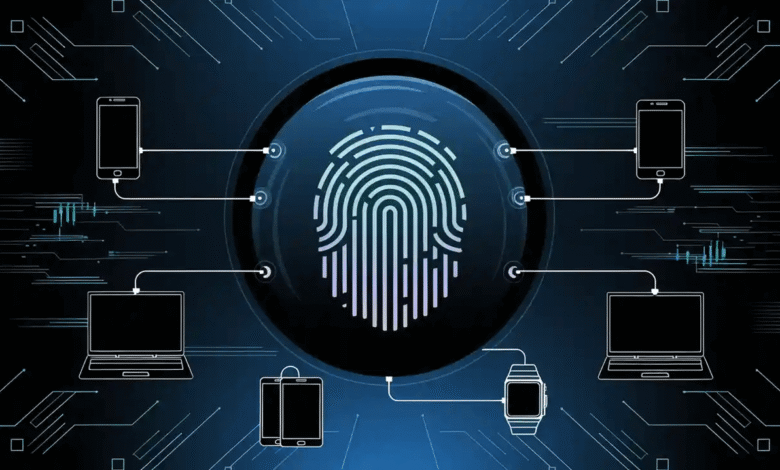
A digital fingerprint, often called browser fingerprinting, is a method used by websites to identify users based on the unique characteristics of their device, browser, and system configuration.
Instead of storing information on your computer like cookies do, fingerprinting collects data such as:
- Browser type and version
- Operating system
- Screen resolution
- Installed fonts
- Device hardware details
- Time zone
- Language settings
- Plugins and extensions
When these details are combined, they create a profile that is often unique to a specific user. Even if someone deletes cookies or uses private browsing mode, websites may still recognize them through their digital fingerprint.
How Digital Fingerprinting Works
Digital fingerprinting works by collecting small technical details from a user’s browser and device when they visit a website.
When you open a webpage, your browser automatically shares certain information with the server. This includes details necessary for the site to function properly, such as your screen size or supported technologies.
Websites then use scripts to gather these data points and create a fingerprint. The more variables collected, the more unique the fingerprint becomes.
For example, two people might both use the same browser, but if they have different screen sizes, time zones, or fonts installed, their fingerprints will still be different.
Once created, this fingerprint can be stored in a database and used to recognize returning visitors.
Why Websites Use Digital Fingerprinting
Digital fingerprinting has several legitimate uses, especially in improving security and enhancing user experience.
Fraud Prevention
Many financial platforms and online services use fingerprinting to detect suspicious activity. If a login attempt suddenly comes from a device with a completely different fingerprint, the system may require additional verification.
Advertising and Marketing
Advertisers use digital fingerprints to track user behavior across different websites. This helps them deliver more personalized advertisements based on browsing habits.
Analytics and Website Optimization
Businesses use fingerprinting to better understand their visitors. By analyzing user behavior, companies can improve website performance and content delivery.
Account Protection
Online services may compare fingerprints to identify unusual access patterns. This helps prevent unauthorized logins and protect user accounts.
Digital Fingerprints vs Cookies
Many people confuse digital fingerprinting with cookies, but the two technologies work differently.
| Feature | Cookies | Digital Fingerprinting |
|---|---|---|
| Storage | Stored on the user’s device | No local storage required |
| User Control | Can be deleted easily | Harder to control |
| Tracking Method | Saves data in browser files | Uses device and browser characteristics |
| Privacy | More transparent | Often invisible to users |
Because fingerprinting does not rely on stored files, it can still function even if users block cookies.
Privacy Concerns of Digital Fingerprinting
While digital fingerprinting provides benefits for security and analytics, it also raises significant privacy concerns.
Lack of Transparency
Most users are unaware that fingerprinting is happening in the background. Unlike cookies, websites rarely ask for explicit permission before collecting fingerprint data.
Difficulty in Blocking
Because fingerprinting collects existing device information, it is much harder for users to block or delete compared to cookies.
Potential for Misuse
If misused, fingerprinting could allow organizations to track users extensively across multiple websites without their knowledge.
For these reasons, many privacy advocates argue for stronger transparency and regulations regarding fingerprinting technology.
How Businesses Use Digital Fingerprinting
Businesses increasingly rely on digital fingerprinting for various operational purposes.
E-Commerce Security
Online stores use fingerprinting to detect unusual buying patterns or suspicious transactions. This helps reduce fraud and chargebacks.
Multi-Account Detection
Some platforms monitor fingerprints to prevent users from creating multiple accounts for abuse or manipulation.
Online Advertising
Advertising companies use fingerprinting techniques to maintain tracking capabilities as traditional cookies become less reliable due to privacy regulations.
How Individuals Can Protect Their Digital Identity
Although it is difficult to completely avoid digital fingerprinting, there are several steps individuals can take to reduce their online traceability.
Use Privacy-Focused Browsers
Some browsers are designed to limit fingerprinting techniques by standardizing certain browser parameters.
Disable Unnecessary Plugins
Extensions and plugins can add unique elements to a fingerprint. Limiting them may reduce tracking accuracy.
Regularly Update Your Browser
Browser updates often include security improvements that help protect against advanced tracking techniques.
Use Specialized Privacy Tools
Some tools are specifically designed to mask or manage browser fingerprints for privacy or testing purposes.
One example is using an antidetect browser (https://octobrowser.net/), which allows users to manage multiple browser profiles with unique digital fingerprints. Such tools are often used by marketers, developers, and cybersecurity professionals who need to simulate different environments or protect their browsing identity.
Digital Fingerprints in Cybersecurity
Digital fingerprinting also plays a critical role in modern cybersecurity strategies.
Security systems can analyze fingerprints to detect anomalies in login behavior. For instance, if a user typically logs in from a laptop in one country but suddenly attempts to access the account from a completely different device and location, the system can flag the activity as suspicious.
Banks, payment gateways, and online marketplaces commonly use fingerprint analysis as part of their fraud prevention systems.
The Role of Antidetect Technology
As fingerprinting technology becomes more advanced, so do the tools designed to manage it.
Antidetect technologies allow users to create isolated browsing environments with different fingerprints. These tools are commonly used by:
- Digital marketers managing multiple advertising accounts
- Developers testing websites across different configurations
- Security professionals analyzing tracking methods
- E-commerce specialists operating multiple stores
By controlling browser fingerprints, users can simulate different devices or locations without revealing their real system configuration.
Future of Digital Fingerprinting
Digital fingerprinting will likely continue evolving as both privacy regulations and tracking technologies advance.
Several trends are shaping the future of this technology.
Stricter Privacy Regulations
Governments around the world are introducing stricter rules about data collection and user consent. This may limit how companies use fingerprinting techniques.
Browser Privacy Improvements
Modern browsers are beginning to introduce anti-fingerprinting features to protect user privacy.
Increased Cybersecurity Use
Despite privacy debates, fingerprinting will remain an important tool for detecting fraud and protecting online platforms.
Balancing privacy protection with security needs will remain a major challenge for the internet industry.
Conclusion
Digital fingerprinting has become an important part of the modern internet ecosystem. By collecting unique characteristics from devices and browsers, websites can identify users, enhance security, and analyze behavior.
However, this technology also raises serious privacy concerns because it can track users without relying on traditional methods such as cookies.
Understanding how digital fingerprints work allows individuals to make informed decisions about their online privacy. Businesses, on the other hand, can use fingerprinting responsibly to improve security and reduce fraud.
As the internet continues to evolve, awareness of digital identity and privacy tools will become increasingly important for both individuals and organizations.